
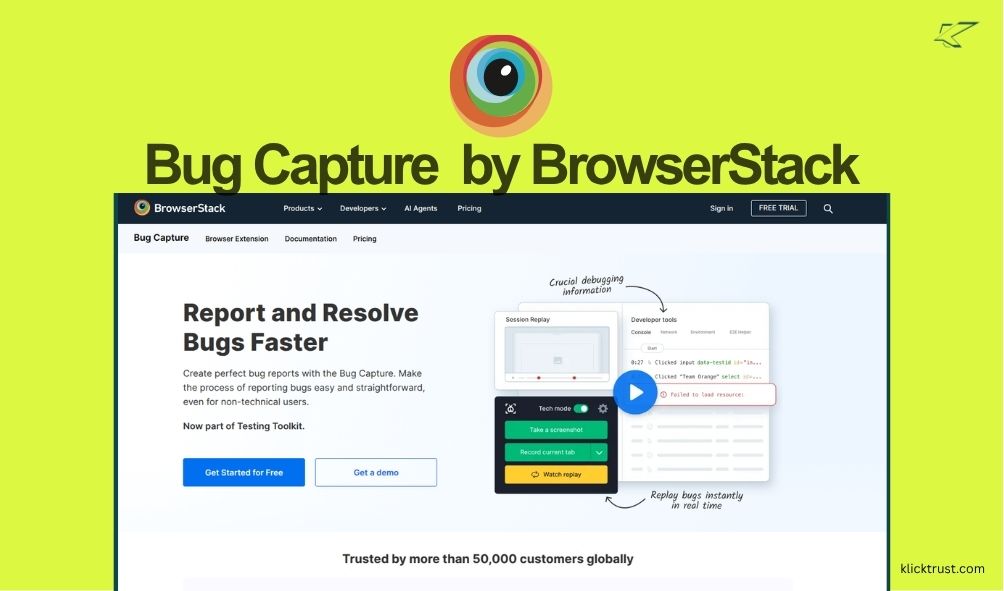
We have all been there. You find a bug on your site. You try to tell your dev team. They say, “I can’t reproduce it.” It makes you want to pull your hair out. That is why I decided to write this Bug Capture by BrowserStack review. I wanted to see if this tool could finally fix that broken loop. In this post, I will share my real experience using it. I will tell you if it saves time or if it is just more noise. Let’s find out if you should sign up today.
What is Bird Eats Bug? (Now Bug Capture by BrowserStack)
Bird Eats Bug, which recently rebranded to Bug Capture by BrowserStack, is a screen recording tool built for tech teams. Think of it like a dashcam for your browser. Most screen recorders just capture video. This tool does way more.
It records the video, but it also grabs technical data in the background. It captures console logs, network errors, and system info. It packages all that data into one link. You send that link to your engineers. They can see exactly what went wrong without asking you a million questions. It bridges the gap between non-tech users and developers.
Getting Started: From Sign-up to First Recording
Setting this up was super easy. I am not the most technical person, but I figured it out in minutes.
- Create an Account: I went to their site and signed up. You can use Google to login fast.
- Install the Extension: It prompted me to get the Chrome extension. This is the magic button.
- Record: I clicked the extension icon on a buggy page. I hit “Record” and did the action that caused the bug.
- Share: I stopped the recording. It opened a new tab with my video and all the code logs. I just copied the link.
It felt very intuitive. There was no complex coding required. You just point, click, and record. The interface is clean and does not feel cluttered.
Credit: Bug Capture by BrowserStack
Key Features that Actually Matter
There are a lot of tools out there. Why use this one? Here are the features that stood out to me.
The “Black Box” Recorder
This is the best part. You don’t need to open the “Inspect Element” tool. The recorder grabs the console logs and network requests automatically. It saves so much time. Your devs get the data they need to fix the issue instantly.
Instant Replay
The tool has a feature that works like a DVR. It records in the background. If you see a bug happen, you can hit a button to capture the last few seconds. You don’t have to try and make the bug happen again. It is a life saver for those random glitches.
Integrations
It plays nice with the tools you already use. I connected it to Jira and Slack. When I find a bug, I can send it straight to a Jira ticket. No copy-pasting messy text. It supports Linear, Trello, and GitHub too.
My Personal Experience: Fixing Bugs Faster
I used Bug Capture on a recent project. We had a weird checkout error. Customers were complaining, but we could not see it on our end.
I asked a team member to install the extension. They caught the bug on the first try. I looked at the report. I saw a specific network error in the logs next to the video. We fixed it in ten minutes. Before this tool, that bug might have taken days to track down. It felt like I had a superpower. It removed the “he said, she said” from bug reporting.
The Good and The Bad
Nothing is perfect. Here is my honest list of pros and cons.
Pros
- Saves Time: Less back-and-forth with developers.
- Easy to Use: You do not need to be a coder to use it.
- Rich Data: Captures technical logs automatically.
- Free Plan: The free version is generous for small needs.
Cons
- Pricing Jump: The paid plans can get pricey for small teams.
- Chrome Focused: It works best as a browser extension.
- Rebranding Confusion: The switch to “Bug Capture” might confuse old users.
Pricing and Plans: Is it Worth the Cost?
Pricing is always a huge factor. Bird Eats Bug has a few tiers.
- Free Plan: This is great for individuals. You get 15 uploads a month. It retains data for 3 months. It is enough to test the waters.
- Starter ($50/month): This includes 5 members. You get unlimited uploads and longer retention. This is good for small startups.
- Premium: This is for bigger teams. It adds advanced security and SSO.
Is it cheap? Not really. But think about how much developer time costs. If this tool saves your engineers five hours a month, it pays for itself.
Customer Support and Resources
I checked out their help docs. They are very clear. They have guides on how to install the SDK and how to use the integrations.
I also tested their support. They were responsive. Since they were acquired by BrowserStack, they have a big team behind them now. You can trust that they will be around for a long time. There is also a community on Slack if you want to chat with other users.
How Bug Capture Helps with Technical SEO
You might wonder, “How does a bug tool help SEO?” It is all about User Experience (UX). Google hates broken sites.
If your buttons don’t work, users leave. This increases your “bounce rate.” That tells Google your site is bad. Broken links and 404 errors hurt your rankings. By fixing these technical bugs fast, you keep your site healthy. A healthy, bug-free site ranks better. It also helps with Core Web Vitals, which is a key ranking factor.
Bug Capture vs. Competitors
How does it stack up against others?
- vs. Loom: Loom is great for video. But Loom does not capture console logs. Loom is for talking; Bird Eats Bug is for fixing.
- vs. Jam.dev: Jam is a very close competitor. Jam is also excellent. Bird Eats Bug feels a bit more robust for enterprise teams now that it is part of BrowserStack.
- vs. Marker.io: Marker is great for visual feedback on designs. Bird Eats Bug is better for deep technical issues.
My Final Recommendation
Bugs are a part of life. But bad bug reports don’t have to be. Bird Eats Bug has changed how I work. It saves time, frustration, and money. It brings clarity to chaos. Give the free trial a shot. You have nothing to lose but your bugs.
So, should you get it?
If you work with developers, yes. If you are tired of hearing “it works on my machine,” yes.
It is a specialized tool. It does one thing really well. It makes bug reporting painless. Start with the free plan. See if your team likes it. I bet they will thank you for it.
Frequently Asked Questions
Is Bug Capture by BrowserStack free?
Yes, they have a “Free Forever” plan. It allows for 15 uploads per month. It is perfect for freelancers or testing the tool.
Does it work on Firefox or Safari?
They focus heavily on the Chrome extension. However, they have a “Web SDK” you can install on your site. This allows bug reporting from any browser.
Is my data secure?
Yes. Since joining BrowserStack, they have enterprise-grade security. You can also blur sensitive data in your recordings before you share them.
Do I need to know how to code?
No. That is the beauty of it. You just record. The tool handles the code part for you.

Hi, I am the founder of KlickTrust. I’m a digital strategist and builder with a deep passion for creating systems that help people build faster online. I started KlickTrust to save creators, freelancers, and entrepreneurs from wasting months starting from scratch by giving them access to practical, ready-to-use digital tools, templates, and automation systems that actually work in the real world.
At KlickTrust, I focus on speed, trust, and empowerment, so you can launch, grow, and scale with confidence.

