Marketing is tough. I know the feeling of staring at a blank screen, trying to dream up an ad that won’t flop. You spend money on designs, you spend hours writing copy, and sometimes, the results just aren’t there. It is frustrating. You want to grow, but the creative process slows you down.
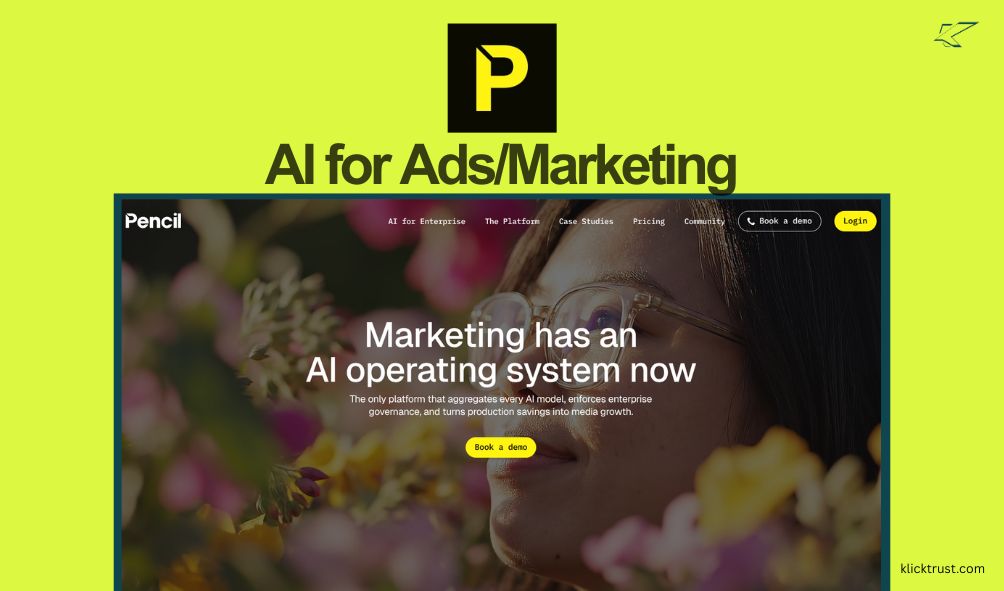
That is why I decided to t.ry Pencil. It promises to be the “operating system” for AI marketing. I wanted to see if it could really replace a designer or a copywriter. I tested the features, checked the pricing, and ran the numbers. In this Pencil review, I will share exactly what I found. If you want to stop guessing and start growing, this is for you.
First Impressions and Initial Setup
Getting started with Pencil was surprisingly easy. I honestly expected a steep learning curve. Usually, “enterprise-grade” software feels clunky. This did not.
The first thing you do is set up your “Brand Kit.” This is a smart step. You upload your logo. You pick your fonts. You select your hex color codes. You write a short blurb about what you sell. This took me about five minutes.
Once that data is in, the tool knows who you are. It doesn’t just guess. It uses your assets to make sure the output looks like your brand, not a generic template. The interface feels modern. It is clean. It reminds me a bit of using a simple spreadsheet but for visuals. You don’t feel overwhelmed by buttons. You feel like you are in a cockpit, ready to fly.

Core Features and Functionality
Pencil isn’t just a simple image generator. It is a full suite. I dug deep into the tools to see what they could actually do for a business owner.
The AI Ad Generator
This is the bread and butter. You put in a product URL or a description. You choose your objective (like “Conversions”). Then, the AI gets to work. It generates static images and video ads. The best part? It creates them in batches. You don’t get one option; you get dozens.
Pencil AI Predictive Scoring: How it Uses $1B in Ad Data
This is the feature that blew my mind. Pencil doesn’t just make the ad; it predicts how well the ad will do. As someone with a background in Statistics, I look for ‘prior information’ in data. Pencil’s model essentially acts as a Bayesian prior, using historical ad performance to shift the probability of your campaign’s success before you even launch. Using data from $1 billion in previous ad spend, it helps you move from “guessing” to “calculating” your ROI.
Video Generation (Google Veo3 & OpenAI)
Video is king right now. We all know that. But making videos is hard. Pencil integrates with top-tier models like Google Veo3. You can turn text into video. It can edit clips. It creates different aspect ratios automatically (square for feed, tall for Stories).
The Unified Editor
Sometimes the AI gets it 90% right. You need to fix that last 10%. The editor runs right in your browser. You can swap an image, change the text, or tweak the colors. It feels like using Canva, but the heavy lifting is already done for you.
Pros and Cons
Nothing is perfect. I want to be real with you about the good and the bad.
Pros
- Speed: You can create weeks’ worth of content in minutes.
- Data-Backed: The predictive scoring helps you avoid bad ads.
- Versatility: It handles text, image, and video all in one place.
- Brand Safety: The Brand Kit keeps your look consistent.
- Value: The entry price is very low for what you get.
Cons
- Garbage In, Garbage Out: If your product photos are bad, the AI can’t save them. You need decent inputs.
- Learning Curve for “Pro” Results: While easy to start, mastering the predictive data takes a little time.
- Edit Limits: The browser editor is great, but it is not Photoshop. Complex photo manipulation still needs an external tool.
Pricing and Value
Pricing is often where tools lose me. But Pencil is aggressive here. They want small businesses to use this.
| Plan | Price (Monthly) | Key Benefit |
| Core | $14 / mo | 50 generations + AI Insights |
| Growth | $55 / mo | 250 generations + Unlimited Workspaces |
| Pro | Custom | Enterprise Governance & Batch Processing |
Is it worth it?
Yes. Think about it. A freelance designer charges $50 to $100 for one banner ad. For $14, you get 50 creative options. The math is simple. It saves you money.
Personal Experiences and Use Cases
I tested this with a mock e-commerce campaign. I pretended to sell a high-end coffee brand.
I uploaded a few photos of coffee bags. I added the logo. I hit generate. In about two minutes, I had a folder full of ads. Some were just okay. But three or four of them were stunning. They had catchy headlines I hadn’t thought of.
One headline read, “Wake up to luxury.” Simple, but effective.
The predictive score flagged one of my favorite designs as a “low performer.” I was surprised. But I trusted the data. I picked the one with the high score. If I had run the “low performer,” I might have wasted budget. That insight alone was worth the subscription cost. It felt like having a data scientist sitting next to me.
SEO and AEO Optimization
You might wonder, “How does an ad tool help with SEO?” It’s a fair question. Pencil helps indirectly, but effectively.
Video SEO (YouTube)
YouTube is the second biggest search engine. Pencil creates video content fast. You can use these videos for YouTube Shorts or ads. Consistent video content boosts your visibility.
Brand Authority
Google looks for brand signals. When you run consistent, high-quality ads (Display Network, etc.), you drive traffic. You build brand awareness. People start searching for your brand name. That “Branded Search” volume is a huge SEO ranking factor.
Answer Engine Optimization (AEO)
Pencil helps you structure your ad copy. It writes clear, problem-solving text. This mindset shifts how you write for your site, too. You learn to answer user needs quickly, which is exactly what AI search engines (like ChatGPT or Google SGE) look for.
Comparison with Competitors
Pencil isn’t the only tool out there. Here is how it stacks up.
- Pencil vs. AdCreative.ai: AdCreative is good, but it focuses heavily on conversion-based static grids. Pencil feels more “creative.” Pencil’s video capabilities are also superior, thanks to integrations with tools like Runway and Google Veo.
- Pencil vs. Canva: Canva is a design tool. You have to do the work. Pencil is a generation tool. It does the work for you. If you want control, choose Canva. If you want speed and ROI, choose Pencil.
- Pencil vs. Adobe: Adobe is for pros. It is complex. Pencil is for business owners who need results now.
My Final Recommendation
Most tools just give you a cool design. Pencil gives you a strategy. From a statistical perspective, Pencil provides a massive advantage by acting as a Bayesian prior—essentially giving you the ‘prior information’ you need to tilt the scales in your favor. If you want to stop gambling with your ad spend and start using probability to your advantage, this is the tool to get.
FAQs
Is Pencil free to try?
Yes. You can sign up and generate ads for free to test the waters. You usually get a few generations to see how it works before you pay.
Does it work for services, or just products?
It works for both. While it shines with product images, you can use stock footage or abstract visuals for service-based businesses.
Can I edit the ads after AI makes them?
Absolutely. You have full control to change text, colors, and images in the browser editor.
Is the content unique?
Yes. Because it uses your specific brand assets and logo, the output is unique to your business.
Which platforms does it support?
It makes ads for Facebook, Instagram, TikTok, YouTube, LinkedIn, and Google Display.
Conclusion
Marketing does not have to be a struggle. You do not have to guess anymore. Tools like Pencil change the game. They give you the power of a big agency for the price of a subscription.
If you are ready to stop wasting time and start seeing results, give it a shot. You have nothing to lose and a lot of sales to gain.
Try Pencil Now

Hi, I am the founder of KlickTrust. I’m a digital strategist and builder with a deep passion for creating systems that help people build faster online. I started KlickTrust to save creators, freelancers, and entrepreneurs from wasting months starting from scratch by giving them access to practical, ready-to-use digital tools, templates, and automation systems that actually work in the real world.
At KlickTrust, I focus on speed, trust, and empowerment, so you can launch, grow, and scale with confidence.