
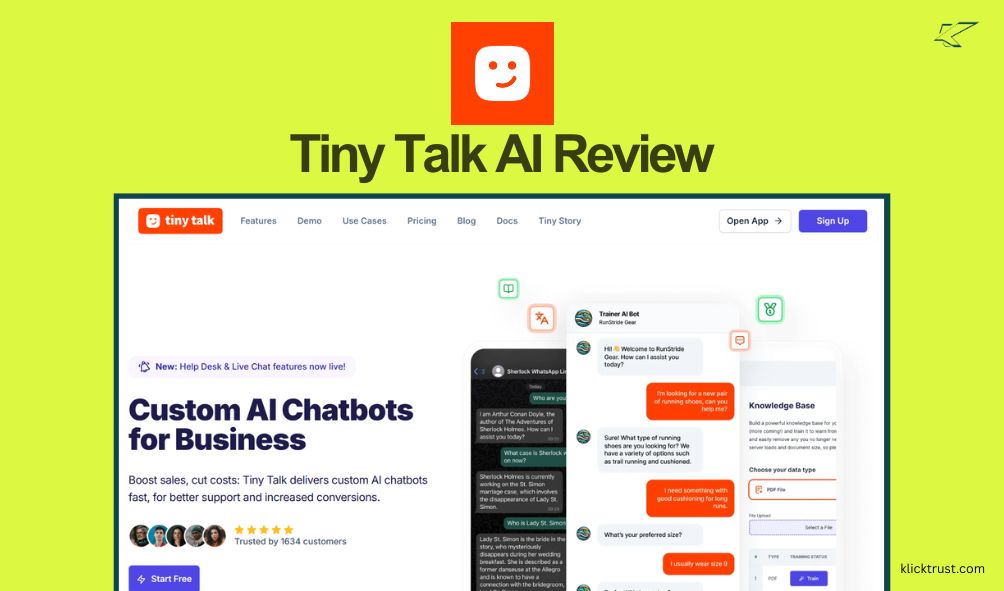
We’ve all been there—staring at a backlog of customer support tickets, wishing we could clone ourselves. I recently stumbled upon the TinyTalk AppSumo deal and wondered if this AI tool was the clone I needed. If you’re tired of answering the same questions or want a smart bot that actually knows your business, stick around for my honest Tiny Talk AI review.
In this post, I’m going to break down everything from setup to the nitty-gritty features. I’ve tested it out so you don’t have to guess if it’s worth your cash. We’ll look at how it handles your data, how smart the AI really is, and if that lifetime deal is as good as it looks. Let’s dive in and see if TinyTalk is the right fit for you.
What is Tiny Talk AI?
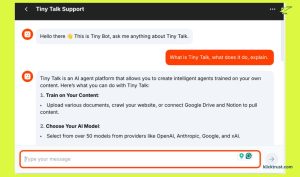
TinyTalk is an AI-powered platform designed to build custom chatbots for your business in minutes. Think of it as a smart assistant that studies your website and documents, then answers customer questions 24/7. It’s not just a basic script; it uses advanced AI (like GPT-4) to understand context and give human-like replies.
Businesses use TinyTalk primarily to automate customer support and generate leads. Instead of hiring a 24-hour support team, you train a bot on your specific data. It sits on your site as a widget or connects to WhatsApp, ready to help visitors anytime. It’s built for small business owners, agencies, and support teams who need to scale their communication without scaling their headcount.
First Impressions and Setup
I have to admit, I was sceptical at first. Many AI tools promise the world and deliver a headache. But setting up TinyTalk was refreshingly simple. I logged in, and the dashboard was clean and intuitive. I didn’t need a coding degree to figure out where to click.
The setup process took me about ten minutes. I uploaded a PDF of a product manual and pasted a link to my website. TinyTalk scraped the info surprisingly fast. The “training” phase—where the bot learns your content—happened in the background while I grabbed a coffee. No complex configuration or API wrestling was required to get the basic bot live.
Key Features and Functionalities
Custom Knowledge Base Training
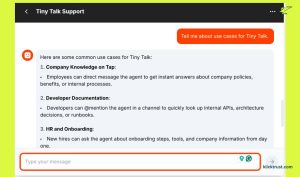
This is the heart of Tiny Talk. You can upload PDFs, Word docs, or simply point it to your URL. I tried it with a messy internal policy document, and the bot managed to extract the key rules accurately. It creates a “brain” for your bot that is specific to your business, not generic internet knowledge.
Multi-Channel Deployment
You aren’t stuck with just a website widget. Tiny Talk AI lets you deploy your bot to WhatsApp, which is huge for global businesses. I tested the website embed code—it’s a simple copy-paste job. The widget appeared instantly. The WhatsApp integration requires a bit more verification (standard for WhatsApp), but having that option included in the deal is a major plus.
Lead Generation
The bot doesn’t just chat; it collects emails. You can set it up to ask for visitor details before or during a chat. In my testing, this felt natural, not spammy. The dashboard then lists these leads, which you can export. It turns a passive support tool into an active sales agent.
Custom Branding
You can make the bot look like your bot. I changed the color scheme to match my test site and uploaded a custom avatar. It helps build trust when the chat widget feels like a native part of your website rather than a third-party plugin.
User Experience
Navigating the TinyTalk interface is smooth. Everything is where you expect it to be. The menu on the left gives you quick access to your bots, data sources, and settings. I never felt lost or overwhelmed by too many buttons.
The bot’s performance is snappy. Responses generate quickly—usually within a few seconds. I threw some curveball questions at it, and because it uses robust AI models, it handled typos and weird phrasing well. It didn’t get stuck in those annoying “I don’t understand” loops that older chatbots do.
Integration Capabilities
Right now, TinyTalk covers the big essentials. You have the Web Widget for your site and WhatsApp for direct messaging. It also offers an API, which is a goldmine for developers who want to build custom solutions or connect it to other apps.
However, native “one-click” integrations with CRMs like HubSpot or Salesforce aren’t fully baked in yet without using the API or webhooks. If you live and breathe inside a specific CRM, you might need to do a little extra work or wait for future updates. For most small businesses, though, the current options are more than enough to get started.
Pricing and AppSumo Deal
Let’s talk numbers, because this is where the AppSumo deal shines.
Normally, SaaS tools like this charge a monthly fee that adds up fast—often starting around $20-$50 a month for basic plans.
The AppSumo Deal:
You get lifetime access for a one-time payment. No monthly bills.
- Tier 1: Usually around $49. You get a set number of bots (e.g., 5 bots) and a generous message limit per month.
- Tier 2 & 3: Higher limits on messages, characters for training, and more bots.
- License Tier 4+: Unlocks white-labeling features, which is killer for agencies.
Comparing this to the regular pricing, you break even in just a few months. Plus, you get all future updates to the mapped plan. It’s a low-risk investment for a tool that automates a high-cost task.
Important Note: You do need your own OpenAI API key for the lower tiers, or you can use their managed service, depending on the specific plan level you buy. Be sure to check the current deal terms on the page, as they can tweak these details.
Pros and Cons
Pros:
- Cost-Effective: The lifetime deal is an unbeatable value compared to monthly subscriptions.
- Easy to Use: No coding skills needed; very beginner-friendly.
- Accurate Answers: The AI retrieves info from your docs very well, minimising hallucinations.
- WhatsApp Support: A huge feature for engaging customers on their phones.
Cons:
- BYO Key: Some tiers require your own OpenAI key, which is a separate (though small) cost.
- Integration Limits: Lack of native, one-click CRM integrations might annoy power users.
- Training Limits: There’s a cap on how much data (characters) you can upload, so huge enterprises might hit a ceiling.
Real-World Usage and Examples
Imagine you run a small e-commerce store selling hiking gear. You upload your shipping policy and product descriptions to Tiny Talk. A customer lands on your site at 2 AM asking, “Do these boots fit wide feet?”
Instead of waiting for an email reply, TinyTalk instantly scans your product doc and says, “Yes, the TrailBlazer 3000 is designed with a wider toe box for comfort.” Boom—customer happy, sale likely made, and you were asleep.
I used it to create an FAQ bot for a digital course. I uploaded the course syllabus and refund policy. It saved me hours of answering emails like “Is there a money-back guarantee?” The bot handled it perfectly every time.
How Tiny Talk Compares to Alternatives
Tiny Talk vs. Intercom:
Intercom is the giant in this space. It’s powerful but incredibly expensive for small teams. TinyTalk offers 80% of the core functionality (answering chats) for 1% of the price. You miss out on some advanced marketing automation, but for pure support, TinyTalk wins on value.
Tiny Talk vs. Chatbase:
Chatbase is very similar—train ChatGPT on your data. They are neck-and-neck in features. However, Chatbase’s pricing is monthly. If you grab the TinyTalk lifetime deal, you save a huge amount of money in the long run. Feature-wise, they are comparable, but TinyTalk’s WhatsApp integration gives it a slight edge for mobile-first businesses.
Who is Tiny Talk For?
Perfect for:
- Small Business Owners: Automate support without hiring staff.
- Agencies: Use the white-label option to sell chatbots to clients.
- Course Creators/Coaches: Answer student questions instantly based on your content.
- E-commerce Sites: Handle common shipping and product queries 24/7.
Not for:
- Large Enterprises: If you need to train a bot on terabytes of data or need enterprise-grade security compliance immediately, you might need a bigger custom solution.
- CRM Power Users: If you need deep, two-way sync with Salesforce out of the box today, check the roadmap first.
Final Verdict
Is the TinyTalk AppSumo deal worth it? In my experience, absolutely. It’s a robust, easy-to-use tool that solves a real business problem: lack of time. It sets up fast, answers accurately, and the WhatsApp integration is a cherry on top.
If you want to free up your support team (or just yourself) and capture leads while you sleep, this deal is a no-brainer. You lock in a powerful AI employee for a one-time price.
Ready to automate your chat? Check out the Tiny Talk AI AppSumo deal before it expires and start reclaiming your time today.
FAQs
Q: Do I need to know how to code?
A: Nope! It’s completely no-code. If you can upload a file, you can build a bot.
Q: Does it work in other languages?
A: Yes, because it uses robust AI models, it can understand and reply in multiple languages, making it great for international visitors.
Q: What happens if I run out of message credits?
A: The AppSumo deal tiers have monthly limits. If you hit them, the bot pauses. You can usually stack codes to increase these limits if you expect high traffic.
Q: Is my data secure?
A: Tiny Talk claims to store data securely and uses it only to answer queries. However, since it uses OpenAI’s API, your data is processed through their servers, which is standard for these tools.

Hi, I am the founder of KlickTrust. I’m a digital strategist and builder with a deep passion for creating systems that help people build faster online. I started KlickTrust to save creators, freelancers, and entrepreneurs from wasting months starting from scratch by giving them access to practical, ready-to-use digital tools, templates, and automation systems that actually work in the real world.
At KlickTrust, I focus on speed, trust, and empowerment, so you can launch, grow, and scale with confidence.

