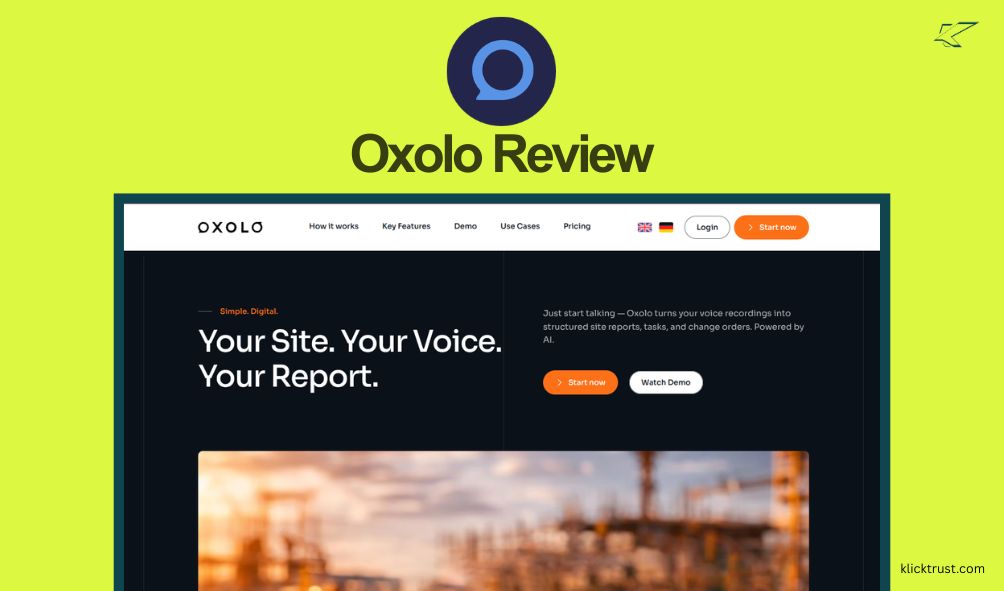
You might be scratching your head right now. You probably searched for an Oxolo review 2026, expecting to see that famous e-commerce video generator everyone talked about a few years ago. I was in the same boat. I went to their site ready to turn a product URL into a snappy video, but I found something completely different.
Things move fast in the tech world, and Oxolo is the perfect example of how quickly tools evolve—or disappear. If you are confused about what this tool actually does today, you are in the right place. I dug deep into the current state of Oxolo to see if it’s still worth your time and money. Spoiler alert: It’s not the tool you remember, but it might be the tool you need for a totally different reason.
What is oxolo?
This is the big question. If you used this tool back in 2023 or 2024, you knew Oxolo as an AI video generator. It was designed to take an e-commerce link (like an Amazon or Shopify page) and magically spit out a video ad with an AI avatar. It was a hit on platforms like AppSumo.
However, as of 2026, the landscape has shifted.
If you visit Oxolo.com today, you are greeted by Himala, an AI meeting assistant. It seems the brand has either pivoted hard or the technology has been repurposed entirely. The “old” Oxolo video generator appears to have faced significant business hurdles (with many users citing bankruptcy and service shutdowns in late 2024).
So, for the purpose of this review, Oxolo is now the home of Himala, a tool designed to prep, record, and summarize your meetings. It connects to your calendar and apps to make sure you never walk into a Zoom call unprepared.
My Personal Experience with Oxolo
I have to be honest with you—I was disappointed at first. I loved the promise of the old video tool. But once I got over the shock of the pivot, I decided to test what was actually there.
I signed up for the new platform (Himala) to see if the “Oxolo” magic was still alive in this new form. The setup was incredibly fast. I didn’t need a credit card to start the free trial, which is always a plus in my book.
I connected my Google Calendar, and it immediately started scanning for upcoming events. I have a habit of showing up to calls and scrambling to find the relevant Google Doc or email thread two minutes before we start. Oxolo (via Himala) actually solved this for me. It pulled up a “brief” for a client catch-up I had scheduled, showing me our last email exchange and the relevant documents. It felt like having a very organized secretary.
Oxolo Features in Detail
Since the video features are a thing of the past, let’s look at what the current platform offers. It’s actually quite robust if you need meeting help.
1. Context-Aware Meeting Prep
This is the standout feature. Most tools just record meetings. Oxolo prepares you before the meeting starts. It scans your connected apps (like Slack, Notion, or Google Drive) and pulls context relevant to the meeting attendees. It felt like magic seeing a document I forgot about pop up right next to the meeting agenda.
2. Bot-Free Recording
I hate those awkward “AI Note Taker is joining the call” announcements. They kill the vibe. Oxolo offers a “bot-free” recording option where it records and transcribes meetings you attend without inviting a visible bot to the room. It feels much more natural.
3. Post-Meeting Summaries
After my test call, I got a summary. It wasn’t just a transcript. It broke things down into action items and key decisions. It even drafted a follow-up email for me, which saved me about ten minutes of typing.
4. The “Memory” Engine
The tool claims to link past meetings to future ones. It builds a “shared memory.” So, if you meet with “Sarah” on Tuesday, it remembers what you promised “Sarah” last month. This is huge for sales calls where personal details matter.
Pros and Cons of oxolo
It is vital to weigh the good against the bad, especially with a tool that has such a complicated history.
Pros:
- Deep Context: It connects the dots between your apps better than basic transcription tools.
- Privacy Focus: They emphasize GDPR and SOC 2 compliance, which is non-negotiable for business data.
- Time Saver: The auto-drafted emails and agendas genuinely save time.
- Free Start: You can try the full workflow without paying upfront.
Cons:
- The Identity Crisis: If you want a video, this is useless to you. The brand confusion is a major hurdle.
- Legacy Issues: Users of the old video tool were left with a bad taste in their mouths regarding lifetime deals and support, which hurts trust in the brand name.
- Integration Limits: The “Starter” plan limits you to 3 integrations, which feels a bit tight if you use a big tech stack.
Oxolo Alternatives
Since there are two ways to look at this (Video vs. Meetings), I will give you alternatives for both.
If you wanted the OLD Oxolo (AI Video):
Since Oxolo no longer does this, check out Creatopy or Synthesia. These are the leaders in 2026 for creating AI avatars and video ads from text. They are stable, reliable, and do exactly what Oxolo used to promise.
If you want the NEW Oxolo (Meeting Assistant):
- Otter.ai: The classic choice. Great transcription, but less focused on “pre-meeting” prep.
- Fireflies.ai: Excellent for capturing voice data and integrating with CRMs.
- Tldv: Great for video recording of meetings, specifically.
Oxolo Pricing
The pricing structure has shifted from video credits to monthly subscriptions for the meeting assistant.
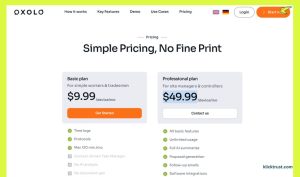
- Basic Plan: $9.99/month. This unlocks the scheduler, the task manager, and up to 3 integrations.
- Pro Plan: $49.99/month. This is for power users. You get unlimited integrations, sentiment analysis (it tells you if the meeting went well or poorly based on tone), and the advanced “Context Engine.”
Is it cheap? Not really. But if it saves you one hour of prep time a week, it pays for itself. And here you can find out the latest AppSumo Lifetime Deals.
Oxolo User Reviews and Testimonials
This is where things get tricky.
If you look at legacy reviews (from 2024-2025) on sites like AppSumo, you will see a lot of anger. Users felt burned when the video tool went under. You’ll see ratings of 1 or 2 stars citing “bankrupt” and “waste of money.”
However, the new testimonials on the Himala site are glowing. Users like “Martin” and “Marilyn” praise the real-time transcripts and speaker tracking.
My take: Take the on-site reviews with a grain of salt. The technology (Himala) seems solid, but the brand carries baggage. If you are a new user with no history, the tool works fine. If you are a legacy user, you are likely not happy.
Is Oxolo Worth It?
If you are here for an Oxolo review 2026 because you want to make product videos: No. Do not sign up. The tool you are looking for is gone.
If you are here because you need a smart assistant to manage your chaotic meeting schedule: Yes, give it a shot. The “Himala” product living at this domain is actually quite clever. The ability to pull context from Slack and Drive before a meeting is a feature I haven’t seen executed this well elsewhere.
FAQs
Does Oxolo still make video ads?
No. As of 2026, the platform focuses on AI meeting assistance under the name Himala.
What happened to my Oxolo lifetime deal?
Based on user reports from 2024 and 2025, the video generator service faced insolvency. Most lifetime deals for the video tool are likely void.
Is the new Oxolo (Himala) free?
There is a free trial and a free tier, but the best features (like unlimited integrations) are locked behind the Pro plan.
Can I trust Oxolo with my data?
The new platform claims full SOC 2 and GDPR compliance, which is the industry standard for data safety.
Final Verdict
It is rare to see a brand pivot this hard. Oxolo went from generating pixels to generating agendas.
If you can look past the name confusion, the new meeting assistant is a powerful productivity tool. It fixes the “unprepared panic” we all feel before big calls. But if you are still hunting for that one-click video generator, you will need to look elsewhere.
Ready to organize your meetings? You can try the new Oxolo (Himala) for free. Just don’t expect it to make a commercial for you.

Hi, I am the founder of KlickTrust. I’m a digital strategist and builder with a deep passion for creating systems that help people build faster online. I started KlickTrust to save creators, freelancers, and entrepreneurs from wasting months starting from scratch by giving them access to practical, ready-to-use digital tools, templates, and automation systems that actually work in the real world.
At KlickTrust, I focus on speed, trust, and empowerment, so you can launch, grow, and scale with confidence.