

Let me be honest with you: choosing between form builders shouldn’t feel like choosing between your kids. Yet, when you’re standing in front of Jotform and Typeform, both shiny and promising better data collection, the decision gets murky.
Here’s what I’ve learned: there’s no universally “best” form builder. What works for a nonprofit managing volunteer registrations might feel like overkill for a freelancer collecting simple client information. But what does exist is the right tool for your specific situation.
After working with both platforms extensively, I’m going to walk you through this comparison the way I’d explain it to a friend over coffee—no corporate jargon, no sugar-coating. Just honest insights about what each platform does well and where they stumble. So, no further delay. Let’s jump into the Jotform vs Typeform comparison.
The Players: Quick Overview
Jotform is the workhorse. With over 35 million users globally, it’s trusted by nonprofits, schools, small businesses, and large enterprises. The philosophy? Make paperwork disappear and build seamless workflows that actually scale. Click to explore more about Jotform.
Typeform is the conversationalist. Serving 150,000+ businesses, their mission centres on making forms feel less like a chore and more like a dialogue. They believe the experience matters as much as the data collected.
Both solve the same core problem—gathering information—but they approach it from different angles.
Feature-by-Feature Breakdown
Form Building Experience
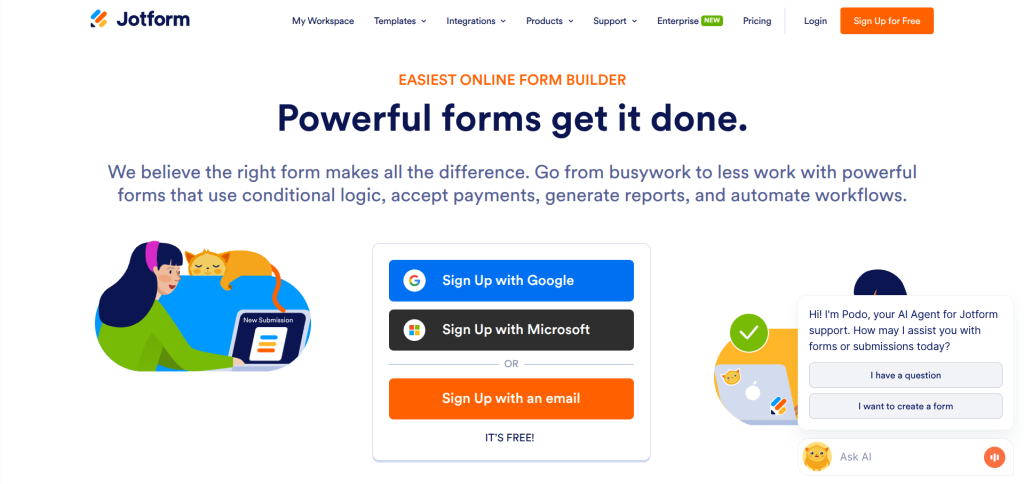
Jotform: The interface here is intuitive without feeling dumbed-down. You get a drag-and-drop builder that feels responsive. What impressed me most? You can literally customize every pixel of your form. Want to change button colors, font sizes, spacing—it’s all there. The learning curve is gentle even for non-technical users, but the depth is there if you want it click to explore.
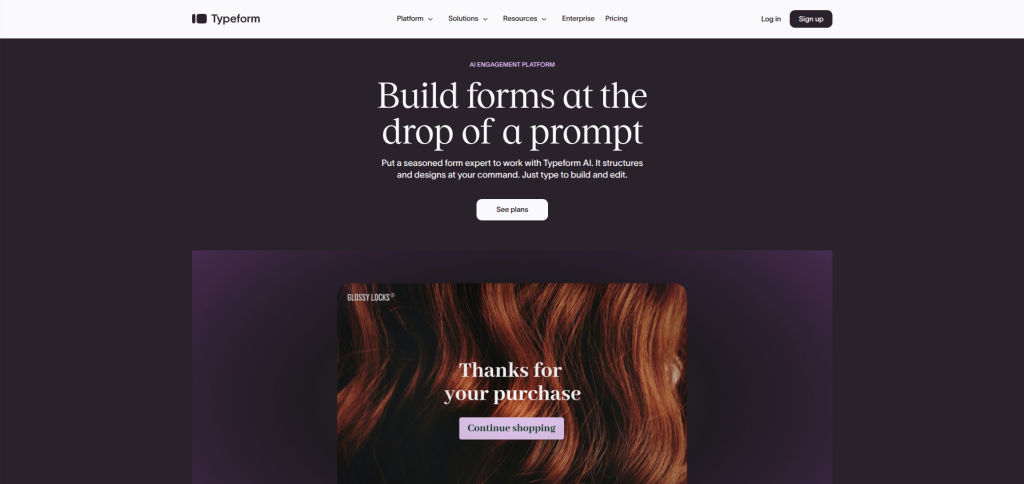
Typeform: They’ve intentionally simplified the building process. It’s almost minimalist. The drag-and-drop works smoothly, but you’re working within their design system more than creating from scratch. Think of it as “beautiful by default” rather than “customizable to infinity.”
Template Library
Jotform: 500+ templates covering virtually every use case you can imagine. Whether you’re running a fitness studio, managing a real estate portfolio, or creating a vendor application form, there’s a starting point. The templates aren’t just decorative—they’re actually functional with logic and workflows built in.
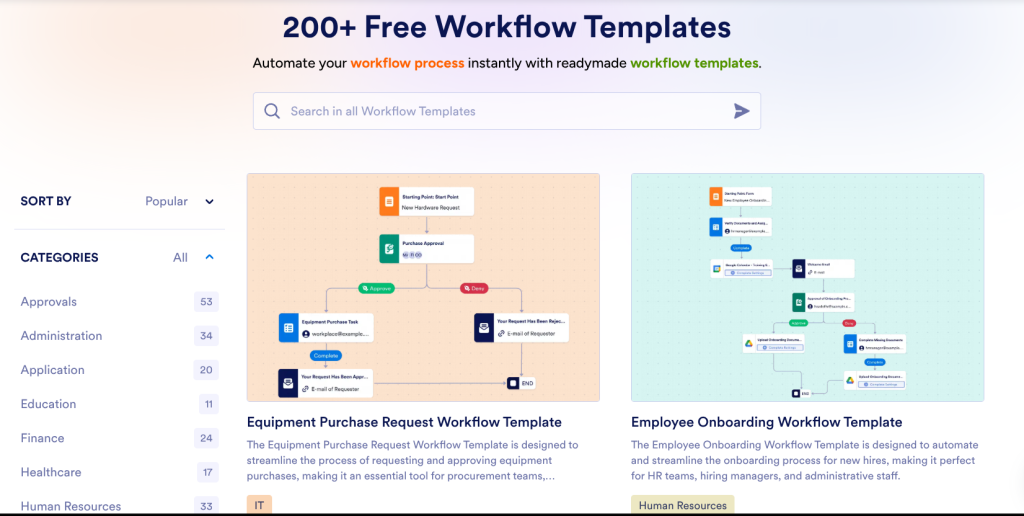
Typeform: Around 500+ templates as well, but they lean heavily toward the conversational style. The templates emphasize aesthetic appeal and user engagement. You’ll notice the personality here—forms designed to feel like conversations rather than interrogations.

Conditional Logic & Smart Branching
Jotform: This is where Jotform flexes. You can set up complex conditional logic that would make a programmer smile. Want to show different questions based on multiple conditions? Gate content based on answers? Dynamically calculate totals? It’s all possible and relatively straightforward.
Typeform: Offers conditional logic but with less granular control. It works well for straightforward “if this, then that” scenarios. For more complex branching, you might find yourself wishing for more power.
Payment Integration
Jotform: Genuinely impressive here. Direct integration with Stripe, PayPal, Square, Bitcoin, and others. You can collect payments right within the form without redirecting users. This is huge if you’re doing e-commerce, event ticketing, or subscription signups. You can check the latest pricing details from here.
Typeform: They position themselves as a data collection tool first. Payment integration exists but requires workarounds through Zapier or other third-party connections. Not native, not seamless, not ideal if this is mission-critical for you.
Mobile Experience
Jotform: Responsive design that actually works. Forms adjust beautifully to screen size, maintaining functionality and aesthetics. I’ve tested this on older devices and newer ones—it holds up.
Typeform: Where they shine. The mobile experience feels intentionally designed, not just responsive. Chat-style forms feel natural on mobile devices. Some users find it genuinely enjoyable to fill out Typeform surveys on their phones.
Analytics & Reporting
Jotform: Real-time dashboards with immediate notification of submissions. You get detailed analytics about completion rates, abandonment points, and user behavior. Data export options are robust—CSV, Excel, PDF, or connect to your database.
Typeform: Clean, readable analytics focused on completion and engagement. Less granular than Jotform, but the metrics displayed are the ones that usually matter. The interface is less overwhelming, which some users appreciate.
Integration Ecosystem
Jotform: 200+ integrations, including Slack, Google Workspace, Zapier, HubSpot, and practically any tool you might use. Want to automatically send form submissions to your CRM? Create calendar events? Trigger emails? It’s all possible.
Explore the latest Jotform AI Agents: The future of customer service
Typeform: Around 75+ integrations. Good coverage for common platforms, but less comprehensive than Jotform. The limitation isn’t usually a dealbreaker unless you’re using niche tools or enterprise software.
Real-World Use Cases: Where Each Platform Shines
Jotform Is Your Answer If You’re:
An E-commerce Business: Product order forms with payment integration, instant invoicing, and inventory tracking across multiple locations.
Running a Nonprofit: Volunteer applications with conditional screening, donation forms with multiple payment methods, and automated recipient matching.
Managing Educational Programs: Student registration with payment splitting, course enrollment with prerequisites, and certificate generation.
A Service-Based Business: Client onboarding forms with conditional routing, appointment booking with calendar sync, and intake forms with document uploads.
Managing Complex Workflows: You need more than form building—you need process automation.
Typeform Is Your Answer If You’re:
Building a Brand Experience: Customer feedback surveys that feel like conversations, not interrogations. NPS surveys that actually get high completion rates.
Creating Lead Qualification Funnels: The chat-style approach genuinely improves engagement and completion rates for research and discovery.
Running Market Research: Survey distribution where form attractiveness directly impacts response quality.
Managing PR or Communications: Collecting sensitive feedback in a way that feels safe and conversational.
Everything Else Needs to Be Friction-Free: When user experience is your top priority and the form needs to disappear into the background.
Pricing Comparison: The Real Numbers
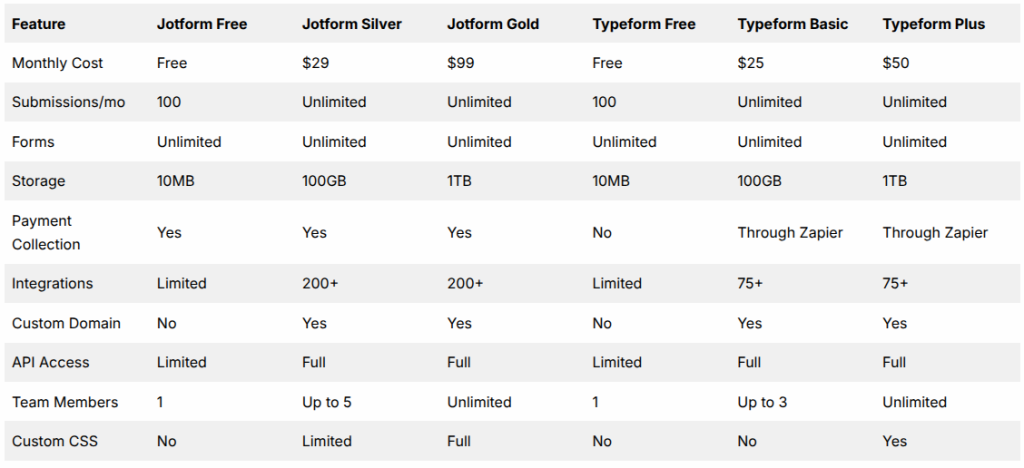
Real Talk: Jotform’s free plan is genuinely generous. You can collect payments immediately without upgrading. Typeform’s free plan requires payment workarounds if you need to collect money. For tight budgets, Jotform wins. For premium features per dollar, it’s closer than it appears.
Pros & Cons: The Honest Assessment
Jotform Pros
- Legitimate unlimited free tier with payment collection included
- Exceptional customization depth without code
- Payment processing built in and straightforward
- Complex conditional logic that handles enterprise scenarios
- Excellent customer support with quick response times
- 200+ integrations cover almost every scenario
- Strong security certifications (SOC 2, HIPAA-eligible)
- API is mature and well-documented
Jotform Cons
- The interface can feel overwhelming initially, with too many options
- The learning curve gets steep for advanced features
- The community forum is less active than Typeform’s
- Occasional performance lag with very complex forms
- Design tends toward functional rather than beautiful
- Less emphasis on conversational UX
Typeform Pros
- Genuinely beautiful default design
- Mobile-first approach actually improves completion rates
- Simple, focused interface—less is more
- Chat-style forms have higher engagement
- Excellent for lead generation and NPS surveys
- Strong brand consistency in every interaction
- Very active user community
- Quick setup time for basic forms
Typeform Cons
- Payment collection requires third-party workarounds
- Limited conditional logic for complex scenarios
- 75 integrations might not cover everything
- Paid plans start at $25/month (same functionality as Jotform’s free tier)
- Less suitable for enterprise automation
- Can’t add custom CSS on lower tiers
- Not ideal for complex multi-step processes
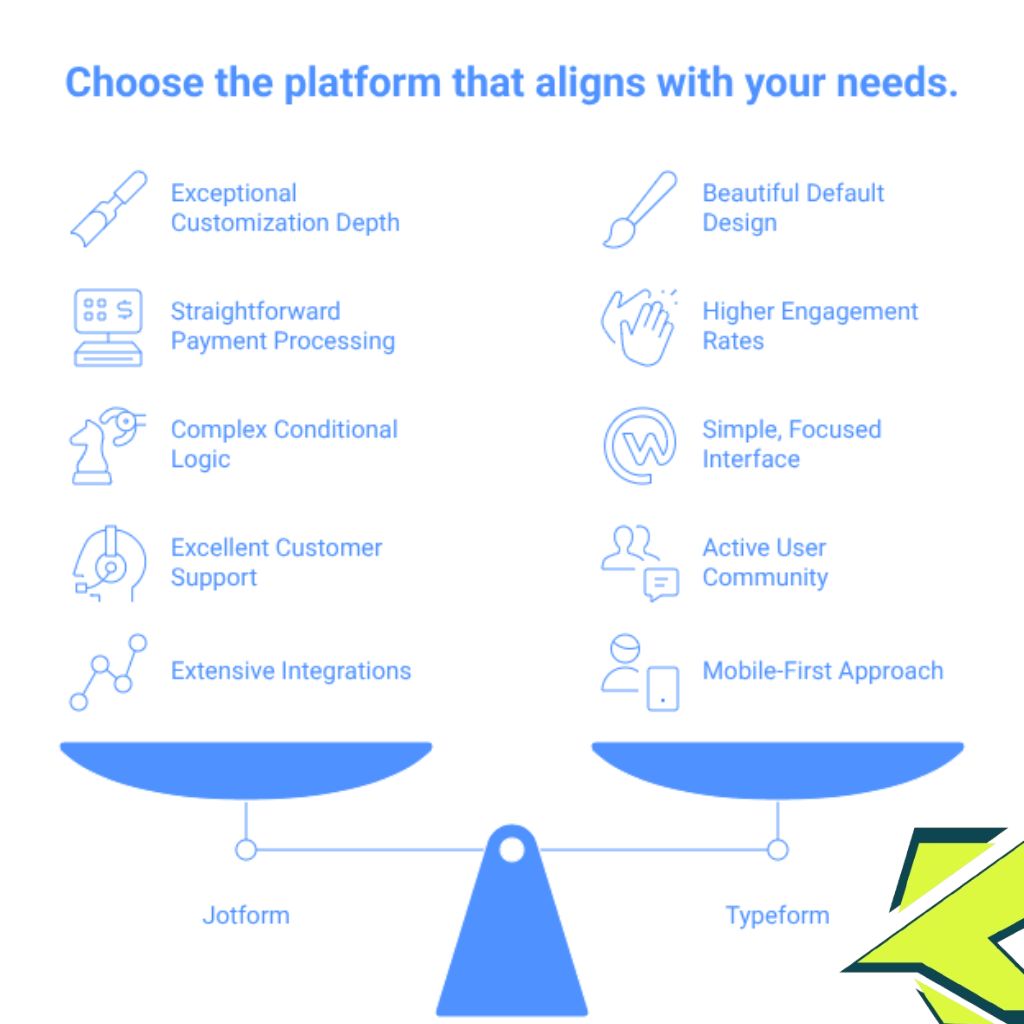
The Verdict: Making Your Decision
Here’s how I recommend approaching this:
Choose Jotform if:
- You need payment processing built-in
- You’re managing complex business processes
- Budget matters and you want maximum features for minimum cost
- You need 200+ integrations
- Your forms are multi-step with conditional branching
Starts your journey from here.
Choose Typeform if:
- User experience is your top priority
- You’re primarily collecting feedback or leads
- You want beautiful forms without customization hassle
- Your team prefers simplicity over control
- You’re comfortable with third-party payment integration
The practical approach: Start with Jotform’s free tier. Build your first form. If you hit limitations, migrate to Typeform (it’s not difficult). Most of the time, you’ll realise Jotform already has what you need.
Alternatives: Other Options Worth Considering
Google Forms: Free, integrates with Google Workspace, perfect for basic internal surveys. Limitation: bare-bones features.
Gravity Forms: WordPress plugin with enterprise power. Best if you’re already on WordPress and need serious customization.
Microsoft Forms: Part of Microsoft 365. Great integration with the Office ecosystem, limited beyond that.
Formstack: Enterprise-focused with advanced workflows and compliance features. Steeper learning curve and cost.
Wufoo: Middle ground between simplicity and power. Solid integrations are good for small businesses.
Cognito Forms: Underrated option with excellent conditional logic and data storage. Clean interface.
FAQs:
1. Can I switch from Jotform to Typeform without losing data?
Absolutely. Both platforms allow form and submission exports. You’ll need to rebuild your form structure in the new platform since they use different template systems, but your collected data moves cleanly. Most migrations take an afternoon for average-sized deployments.
2. Which platform handles high volume better?
Jotform handles higher submission volumes more gracefully due to its enterprise infrastructure. If you’re expecting thousands of daily submissions, Jotform edges ahead. That said, Typeform’s infrastructure is solid for most business scenarios.
3. Do either platform offer white-label solutions?
Jotform offers white-label on higher tiers ($99+). Typeform does too, starting at their Plus plan. Both let you remove branding and add your own. Jotform’s white-label implementation is more comprehensive.
4. Which is better for GDPR compliance?
Both meet GDPR requirements, but Jotform’s HIPAA compliance goes further. If you’re handling sensitive health or financial data, Jotform is the safer choice with more compliance certifications.
5. Can I use either platform for team collaboration?
Yes, both support team accounts. Jotform gives you more control on higher plans (unlimited team members on the Gold tier). Typeform caps teams on lower plans but scales well on Plus and Premium.
6. What’s the learning curve for someone non-technical?
Typeform is easier to learn in the first hour. Jotform might take 2-3 hours, but it gives you more capability afterwards. Think of it as: Typeform has a low ceiling, Jotform has a high one.
Final Verdict
After everything—the testing, the comparison, the deep dives—here’s what stuck with me: form builders have solved the technical problem. What remains is choosing based on your actual workflow. Jotform feels like you’re running a business. Because you are, and the platform reflects that—powerful, flexible, sometimes complex. Typeform feels like you’re having a conversation. And frankly, that makes people more willing to answer your questions. Your choice won’t be wrong. It’ll just be right for you. And that’s what actually matters.
Start with a free trial, build one real form, and see how it feels. Your gut reaction will tell you more than any comparison chart ever could.
The Klicktrust Team has spent the last decade helping businesses streamline their data collection processes. When he’s not testing form builders, he’s probably overthinking something equally unimportant.

Hi, I am the founder of KlickTrust. I’m a digital strategist and builder with a deep passion for creating systems that help people build faster online. I started KlickTrust to save creators, freelancers, and entrepreneurs from wasting months starting from scratch by giving them access to practical, ready-to-use digital tools, templates, and automation systems that actually work in the real world.
At KlickTrust, I focus on speed, trust, and empowerment, so you can launch, grow, and scale with confidence.

